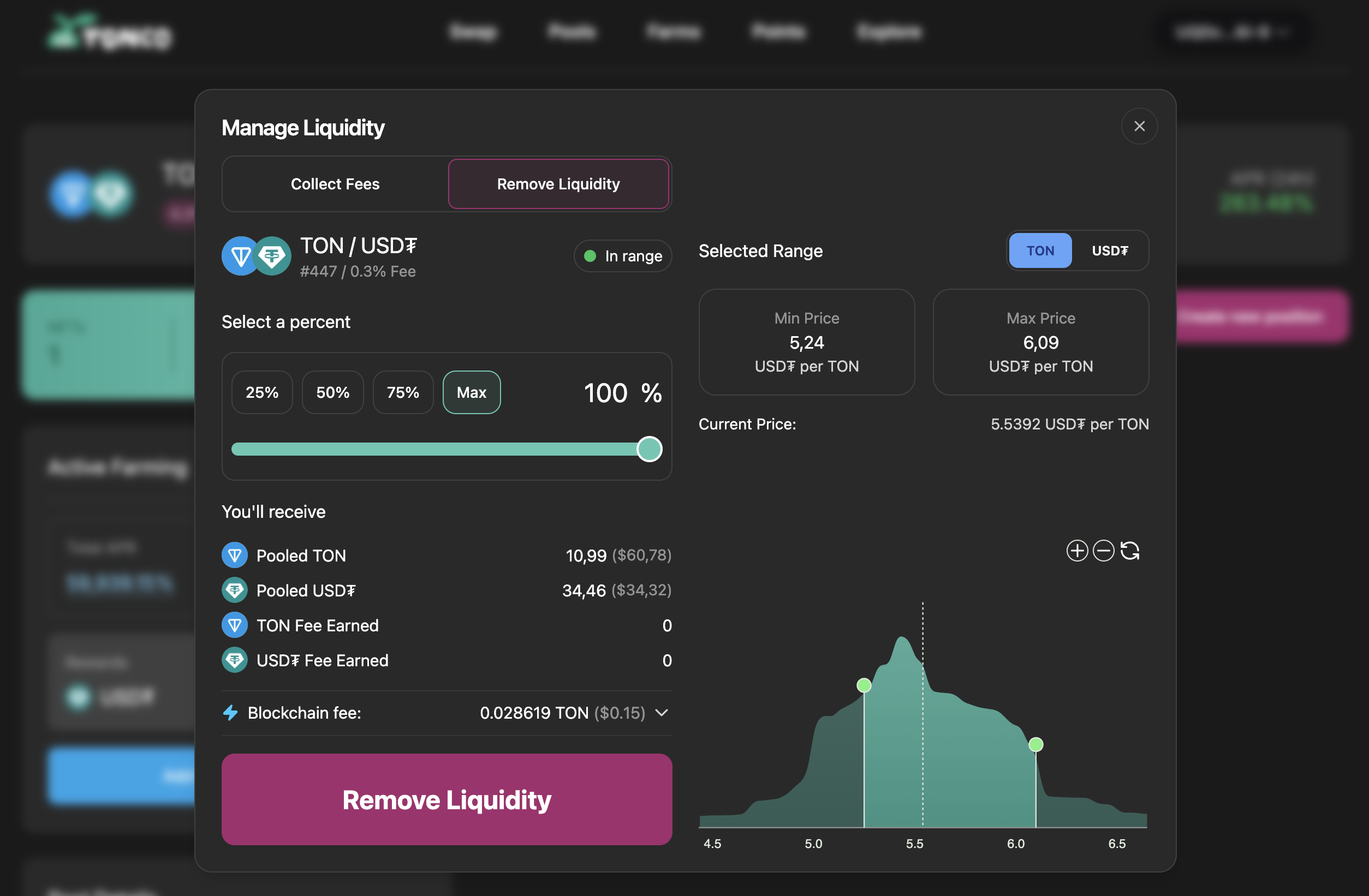
Managing a Position
You'll be able to view all of your open positions in the "My pools" tab of the Pools Page.
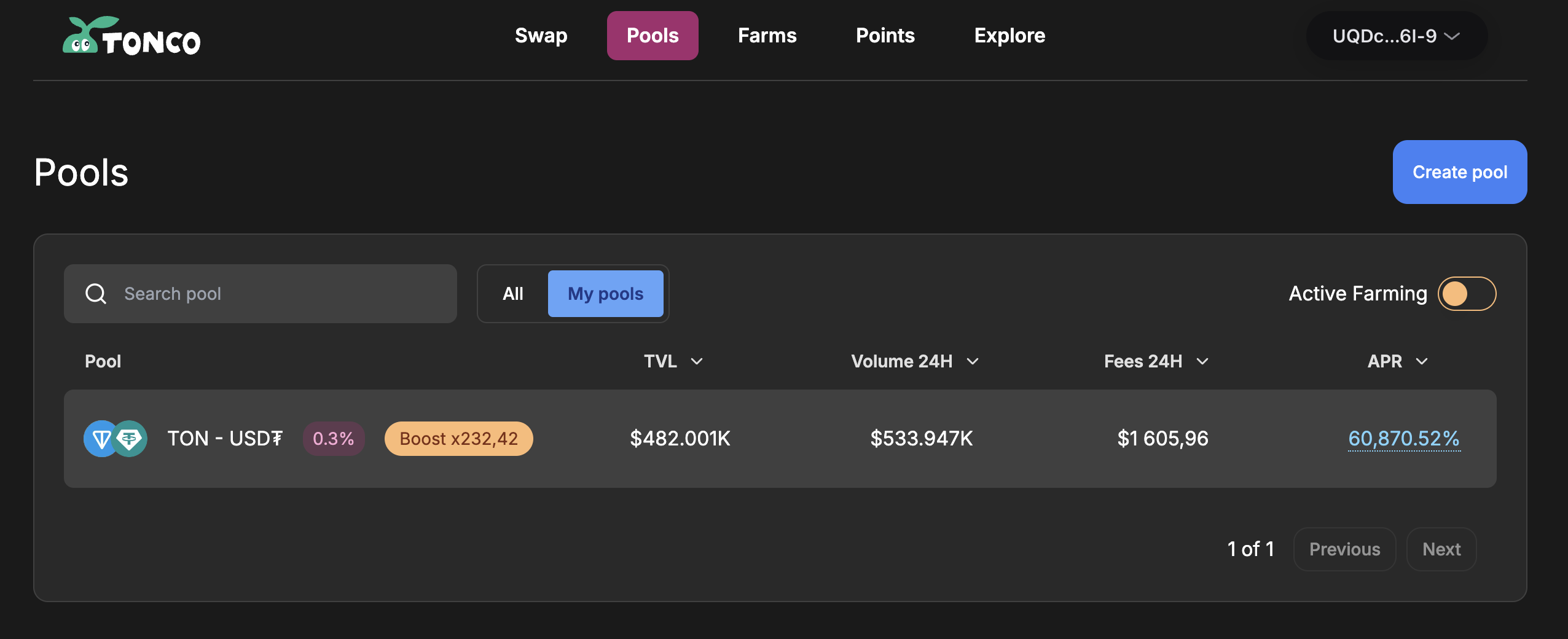
You can access the following features:
- Collect fees
- Remove liquidity
Click on any open position to view detailed data (total value, tokens deposited, price range, pending fees/rewards, etc.) on the position management panel.
Note: your earned fees may appear on the positions page up to 6 hours after your deposit and it may even take longer depending on the size of your position
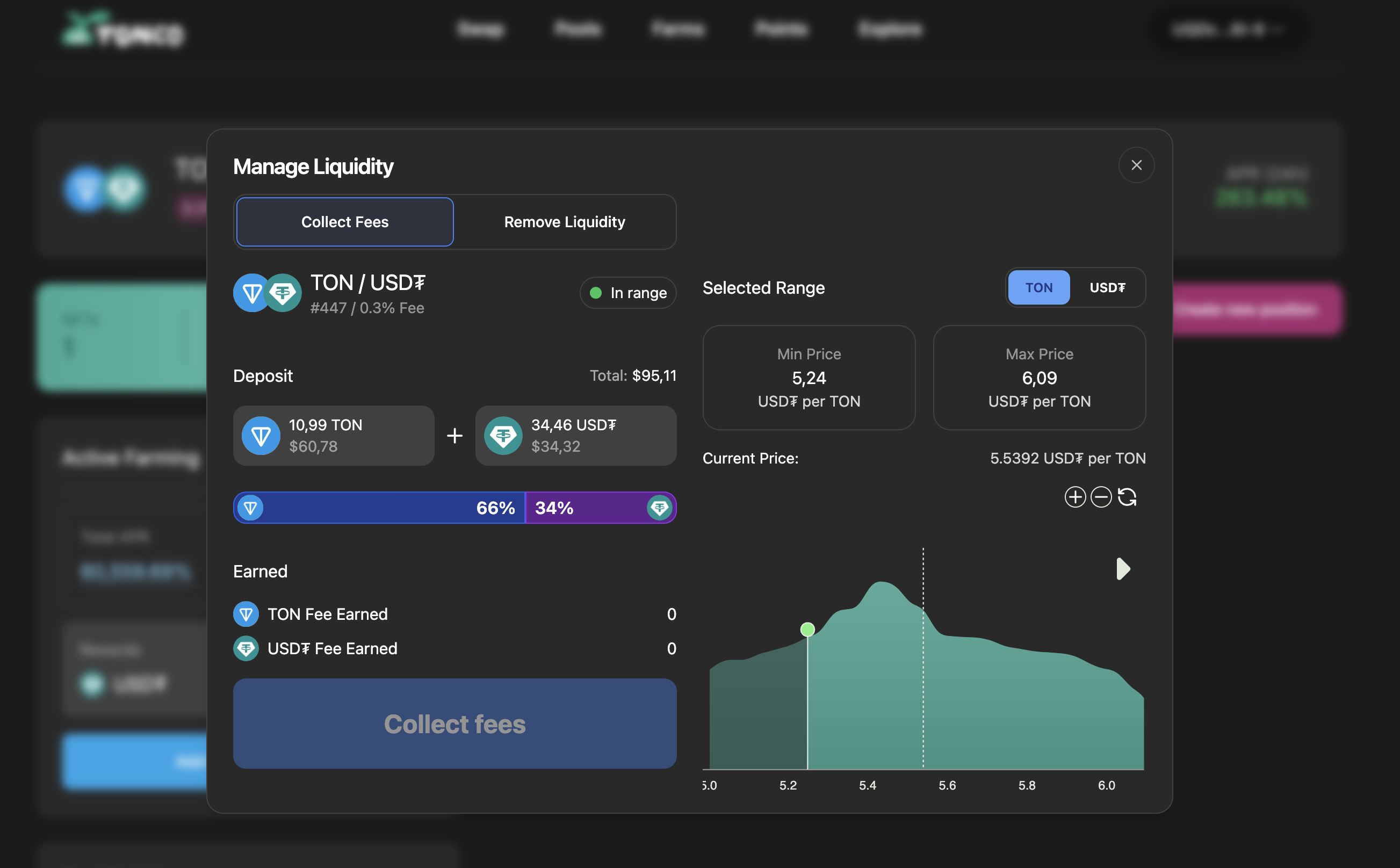
To remove liquidity and burn an LP NFT, select the ‘Remove Liquidity’ tab and choose the percentage of withdrawal.